
If you have bought the premium plugin, then you will need to activate it to receive regular updates.
Please activate the plugin using the licence key you have received in the order email. it will be looking something like this: 5c572a497d732
In order to activate the premium plugin, head to the settings page by navigating to: Site Dashboard > Recipes > Settings > Plugin Activation.
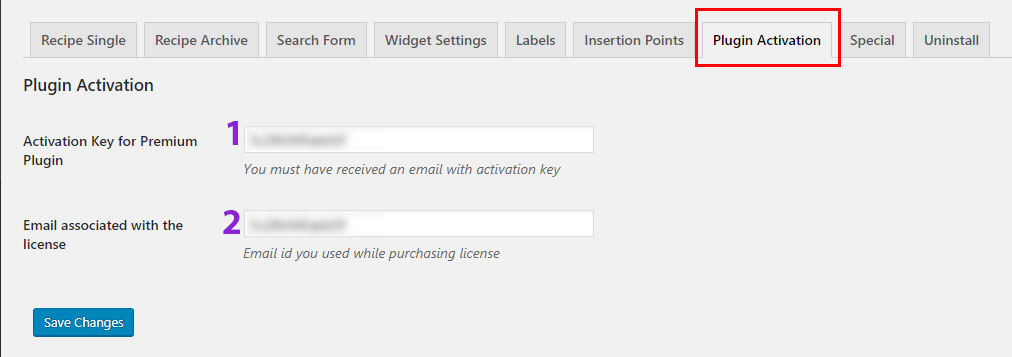
Explanation of Points:
- Enter the Licence key string you have received in purchase confirmation email. Alternatively, login to your BooSpot.com account and heads to “Licence” section on you “My Account” page.
- Enter the email id you used to purchase the license of the premium plugin. Combination of these two fields is reqquired to authenticate the request to fetch new updates from our servers.